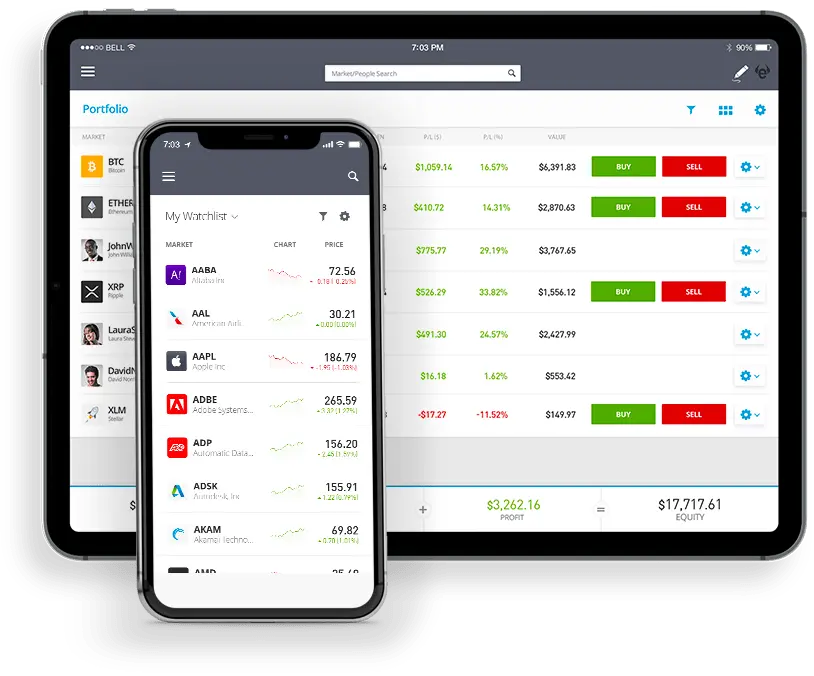
To use a demo account on eToro, you'll need to sign up for a free account, choose the 'Virtual Portfolio' option, familiarize yourself with the platform's features, and begin trading virtually with $100,000 of demo money.
Introduction
eToro, a leading global trading platform, offers its users the ability to test their trading strategies without risking real money through the use of a demo account. This feature, known as the eToro demo account, provides traders with a safe space to practice, experiment, and learn the intricacies of trading without the fear of financial loss. But how do you actually get started and make the most of this opportunity? In this article, we’ll guide you through the steps of setting up and using an eToro demo account.
Step-by-Step Guide to Using the eToro Demo Account
1. Sign Up for a Free Account:
- Navigate to the eToro website.
- Click on the "Join Now" or "Sign Up" button.
- Fill out the registration form with your details.
- Once registered, you’ll have access to both real and demo trading environments.
2. Switch to 'Virtual Portfolio':
- After logging in, you’ll be in the ‘Real Portfolio’ by default.
- To switch to the eToro demo mode, click on your profile name or picture on the left-hand side.
- From the dropdown menu, select "Virtual Portfolio".
- Confirm your choice when prompted.
3. Familiarize Yourself with the Platform:
- Before you start trading, take a moment to navigate through the platform and understand its various features.
- Check out the ‘Watchlist’, ‘Portfolio’, and ‘News Feed’ tabs.
- The "Help" or "Tutorial" sections can be invaluable for newcomers.
4. Begin Virtual Trading:
- With an eToro demo account, you'll receive a virtual balance of $100,000.
- Use this to buy and sell assets just as you would with real money.
- Search for assets using the search bar, view their charts, and decide whether to buy or sell based on your analysis.
5. Monitor Your Virtual Portfolio:
- Just like with real trading, you can monitor your open positions, past trades, and overall performance in the ‘Portfolio’ tab.
- This helps you understand how your decisions are affecting your virtual bottom line.
6. Experiment and Learn:
- Since it's a demo environment, don't be afraid to experiment with different trading strategies.
- Learn from both your successes and mistakes to refine your approach.
Conclusion
The eToro demo account provides a golden opportunity for traders, both new and experienced, to get acquainted with the platform and practice their trading strategies. By offering a risk-free environment, eToro ensures that its users can hone their skills, gain confidence, and make informed decisions when they switch to real trading. If you’ve ever wondered, "How do I use a demo account?", eToro's platform makes the process intuitive and user-friendly, ensuring that you can make the most of this invaluable tool. So, sign up, dive in, and happy virtual trading!